初探 GitHub Actions: 实现 VuePress 自动化部署
背景
之前写了篇介绍用 Travis CI 自动化部署的,谁知。。。他竟然、竟然收费了 😭, 静茹姐姐给我的勇气看了一眼费用, 没眼看, 我不配 😥
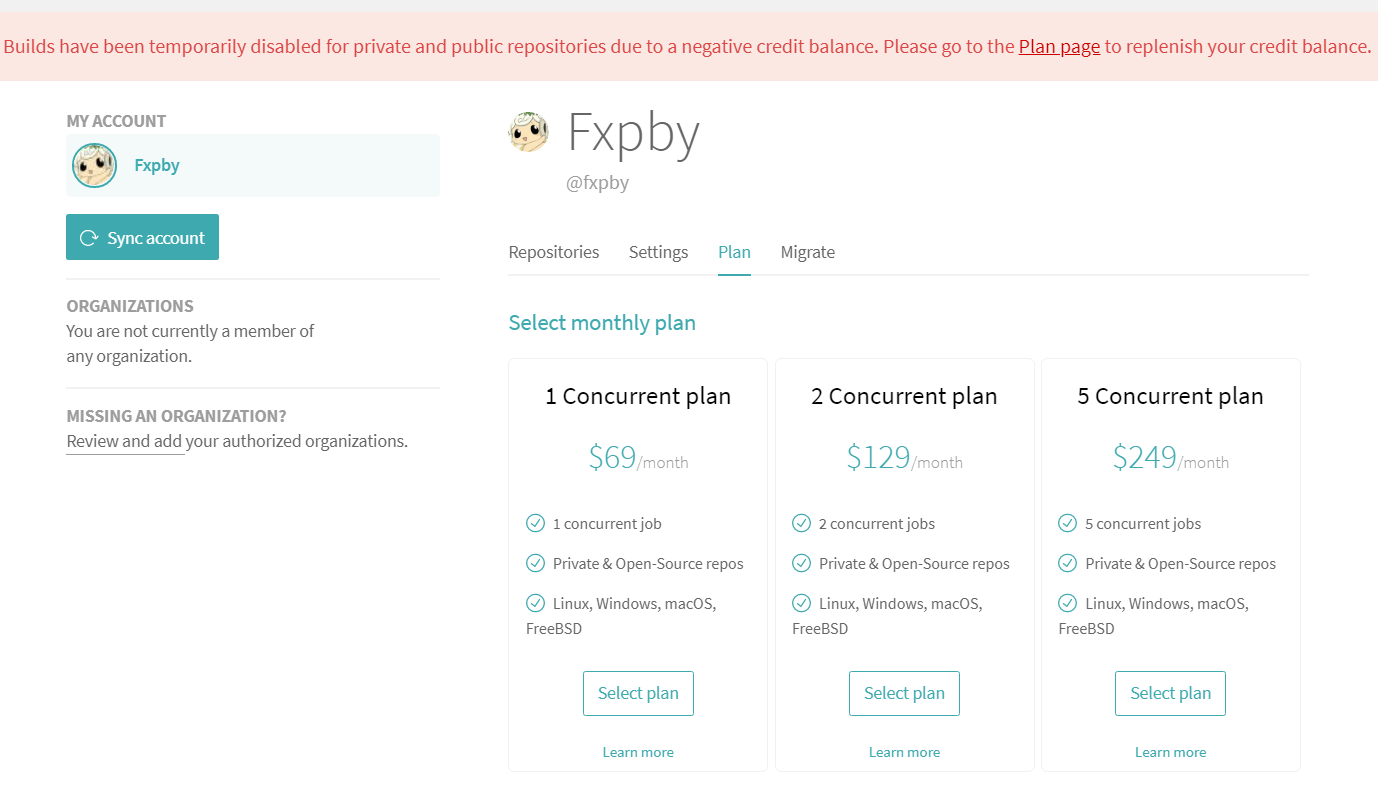
已经陷入自动化部署温床的我, 立刻就去寻找替代品了, 今天试一下这个 GitHub Actions 吧~
GitHub Actions 是什么
actions 见名知意是一堆动作, 这一系列的动作包括了 pull 代码, 测试代码, 编译代码, 登陆服务器, 发布第三方服务等操作, GitHub 把这些行为叫做 actions
集成 GitHub Actions 部署到 GitHub Page
设置 github
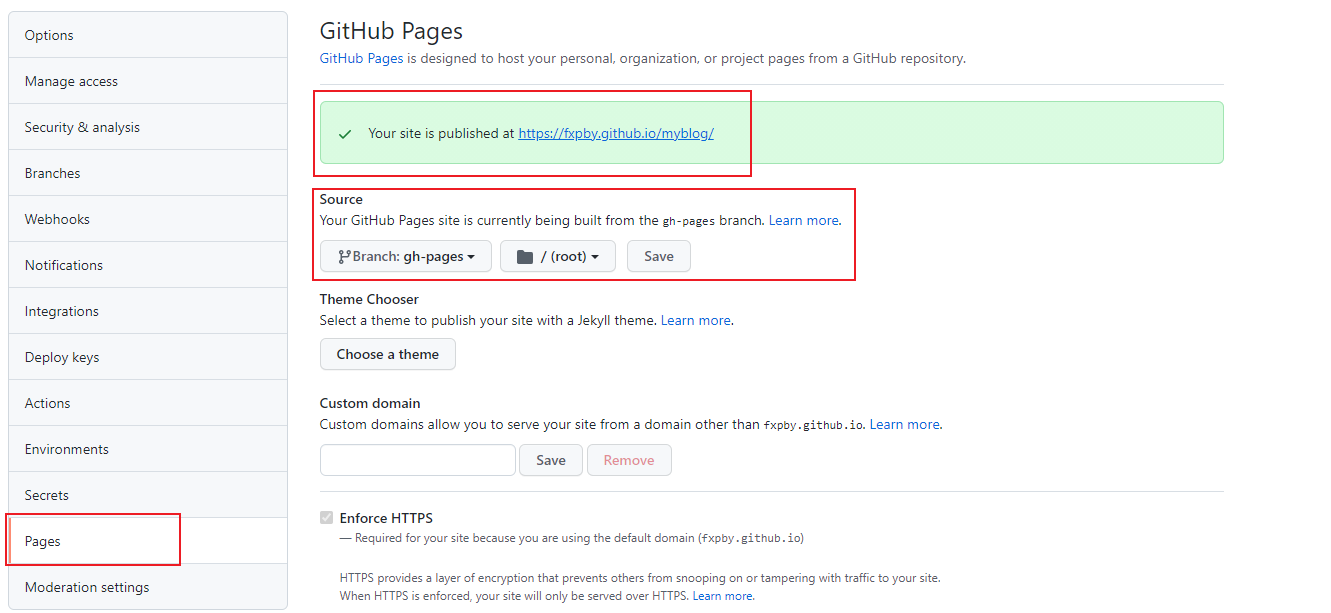
手动创建一个 gh-pages 分支
在Source中选择gh-pages分支,以后我们生成的静态文件存放在这里
创建 github token
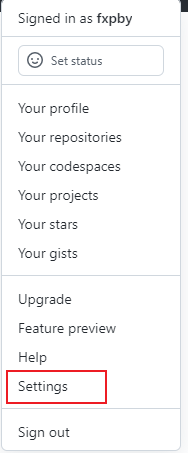
点击我们右上角的个人头像,点击Settings
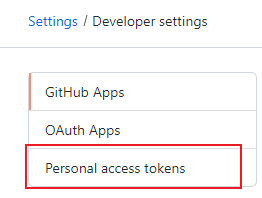
来到Developer settings,点击Personal access tokens, 再点击Generate new token

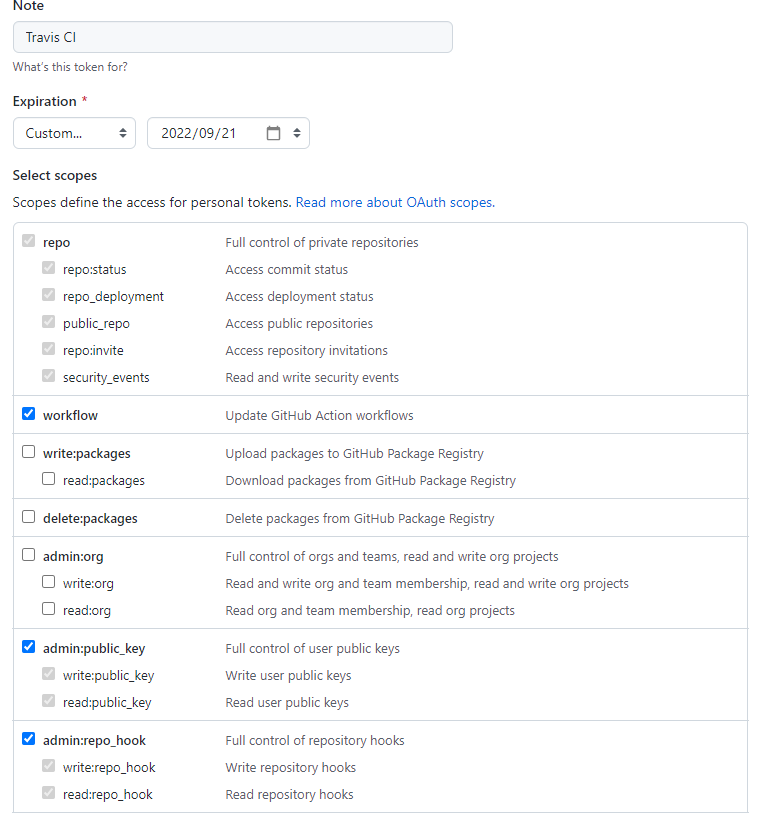
接下来选择权限, Note随便写,下面权限的话勾选如图所示,保存后会得到Personal access tokens一个 token 串,只展示一次,这个请妥善保存,以后如果想访问需要更新
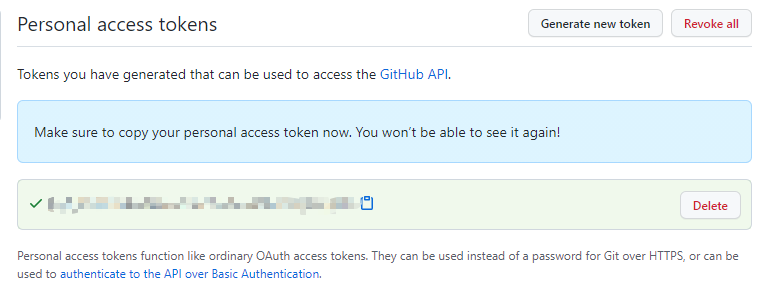
我们保存一下这个 token, 一会儿要用
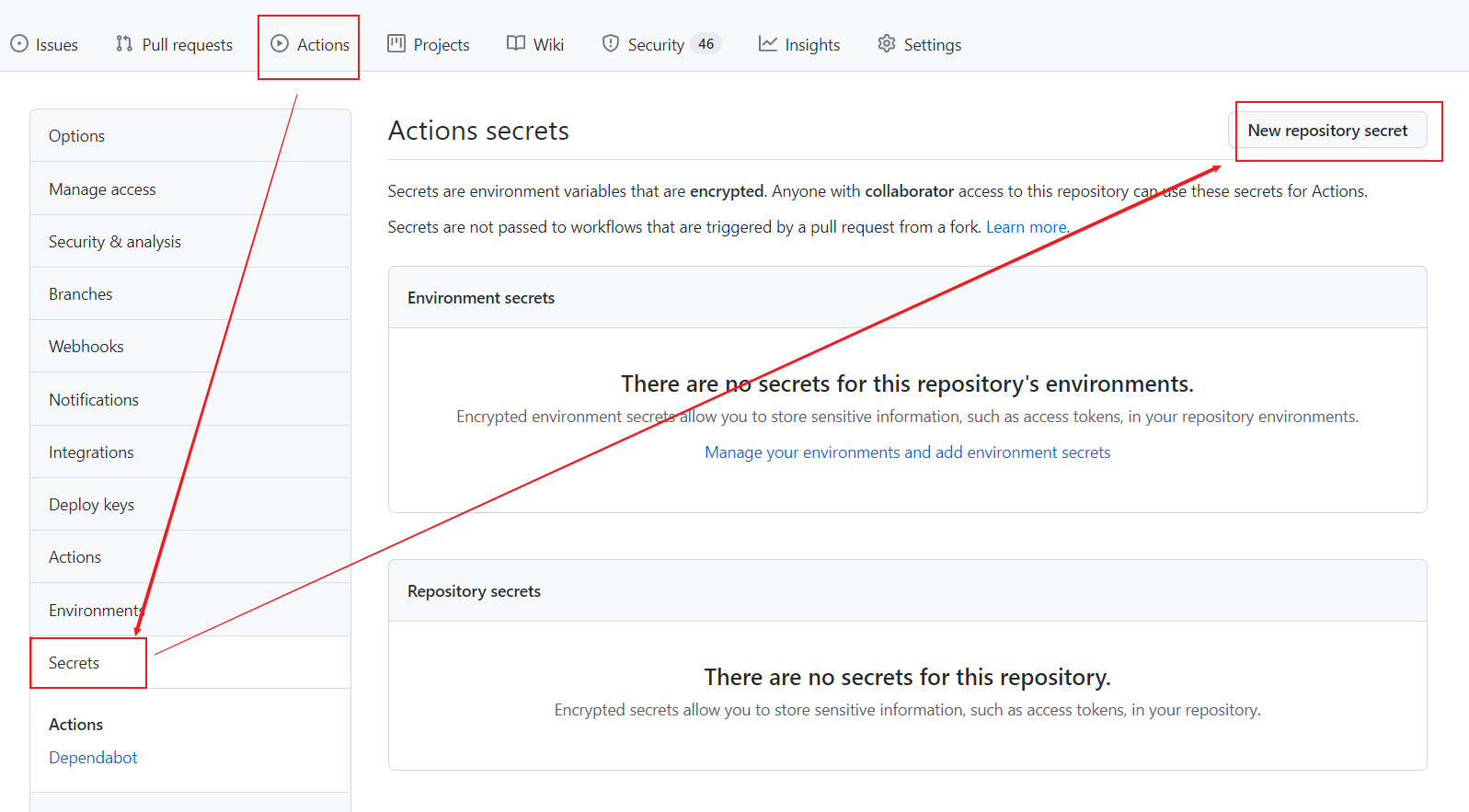
设置 Actions secrets
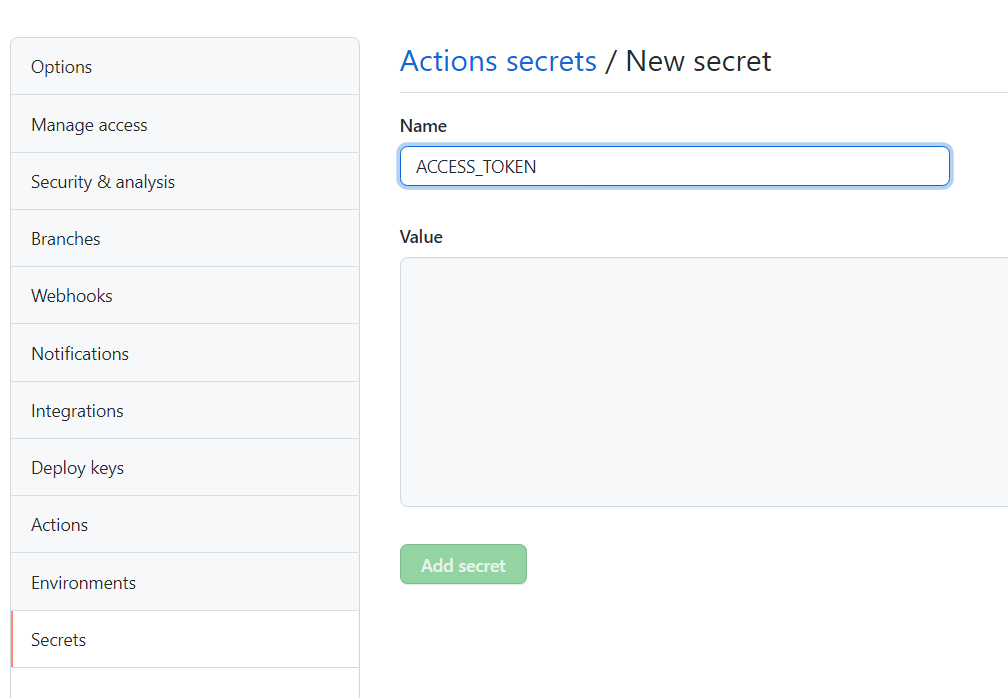
name 填写 ACCESS_TOKEN, value 填写刚才保存的 token
创建 xx.yml 文件
项目中自己手动新建.yml 文件名随意起,github 会自动运行 workflows 目录下所有的 yml 文件, 其中 workflow 中的一些配置比较重要:
-
name: workflow 的名称。如果省略该字段,默认为当前 workflow 的文件名
-
on: 触发 workflow 的条件, 比如 push 就是 git push 时触发这个 workflow
-
jobs: 包含 workflow 要执行的任务
ci.yml 全部配置如下
# This is a basic workflow to help you get started with Actions
name: CI
# Controls when the workflow will runon:  # Triggers the workflow on push or pull request events but only for the master branch  push:    branches: [master]  pull_request:    branches: [master]
  # Allows you to run this workflow manually from the Actions tab  workflow_dispatch:
# A workflow run is made up of one or more jobs that can run sequentially or in paralleljobs:  # This workflow contains a single job called "build"  build:    # The type of runner that the job will run on    runs-on: ubuntu-latest
    # Steps represent a sequence of tasks that will be executed as part of the job    steps:      # Checks-out your repository under $GITHUB_WORKSPACE, so your job can access it      - name: Checkout 🐤        uses: actions/checkout@v2
      # Runs a single command using the runners shell      # - name: Install and Build 🎄      # run: npm install && npm run docs:build
      # Runs a set of commands using the runners shell      - name: Install and Build 🎄        run: |          npm install          npm run docs:build
      - name: Deploy 🚀        uses: JamesIves/github-pages-deploy-action@releases/v3        with:          ACCESS_TOKEN: ${{ secrets.ACCESS_TOKEN }}          BRANCH: gh-pages          FOLDER: docs/.vuepress/dist
action cache 配置
npm
# 缓存 npm node_modules- name: Cache dependencies  uses: actions/cache@v3  with:    path: ~/.npm    key: ${{ runner.os }}-npm-cache-${{ hashFiles('**/package-lock.json') }}    restore-keys: |      ${{ runner.os }}-npm-cache-
# 安装依赖 npm- name: Install dependencies  # 如果没有命中缓存才执行 npm install  if: steps.cache-deps.outputs.cache-hit != 'true'  run: npm install
yarn
# 缓存 yarn node_modules- name: Cache dependencies  uses: actions/cache@v3  id: yarn-cache  with:    path: |      **/node_modules    key: ${{ runner.os }}-yarn-${{ hashFiles('**/yarn.lock') }}    restore-keys: |      ${{ runner.os }}-yarn-
# 安装依赖 yarn- name: Install dependencies  # 如果没有命中缓存才执行 npm install  if: steps.npm-cache.outputs.cache-hit != 'true'  run: yarn --frozen-lockfile
集成 GitHub Actions 部署到阿里云
服务器购买流程和基础初始化配置这里就不啰嗦了 🦜 域名购买备案和解析配置,nginx 配置,https 证书配置都不是本文的核心内容,这里就直入正题了 🐎
创建阿里云密钥对
进入控制台 - 云服务器 ECS - 左侧列表 - 网络与安全 - 找到密钥对
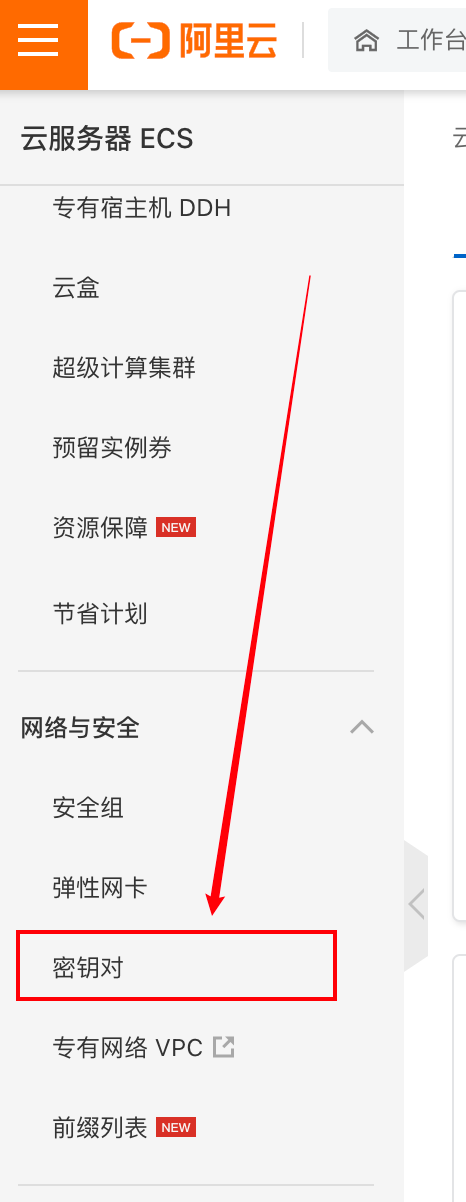
接下来我们创建 SSH 密钥对,然后绑定上 ECS 服务器, 并且将私钥下载保存好, 复制下来去 GitHub 用
name 填写SERVER_SSH_KEY(随意), value 填写刚才的私钥
创建配置.yml 文件
name: Deploy to aliyunon: #监听push操作 push: branches: # master分支,你也可以改成其他分支 - masterjobs: build: # runs-on 指定job任务运行所需要的虚拟机环境(必填字段) runs-on: ubuntu-latest steps: # 使用action库 actions/checkout获取源码 - name: Checkout 🐤 uses: actions/checkout@v2 # 安装Node13 - name: use Node.js 14.15.1 🐣 # 使用action库 actions/setup-node安装node uses: actions/setup-node@v1 with: node-version: "14.15.1" # 安装依赖 - name: npm install 🐥 run: npm install # 打包 - name: npm build 🎄 run: npm run docs:build # 部署到阿里云 - name: Deploy to Aliyun 🚀 uses: easingthemes/ssh-deploy@v2.1.5 env: # 私钥 SSH_PRIVATE_KEY: ${{ secrets.SERVER_SSH_KEY }} # scp参数 ARGS: "-avzr --delete" # 源目录,编译后生成的文件目录 SOURCE: "/docs/.vuepress/dist" # 服务器ip:换成你的服务器IP REMOTE_HOST: "xxx.xxx.xxx.xxx" # 用户 REMOTE_USER: "root" # 目标地址 你在服务器上部署代码的地方 TARGET: "/xxx/xxx/xxx"测试
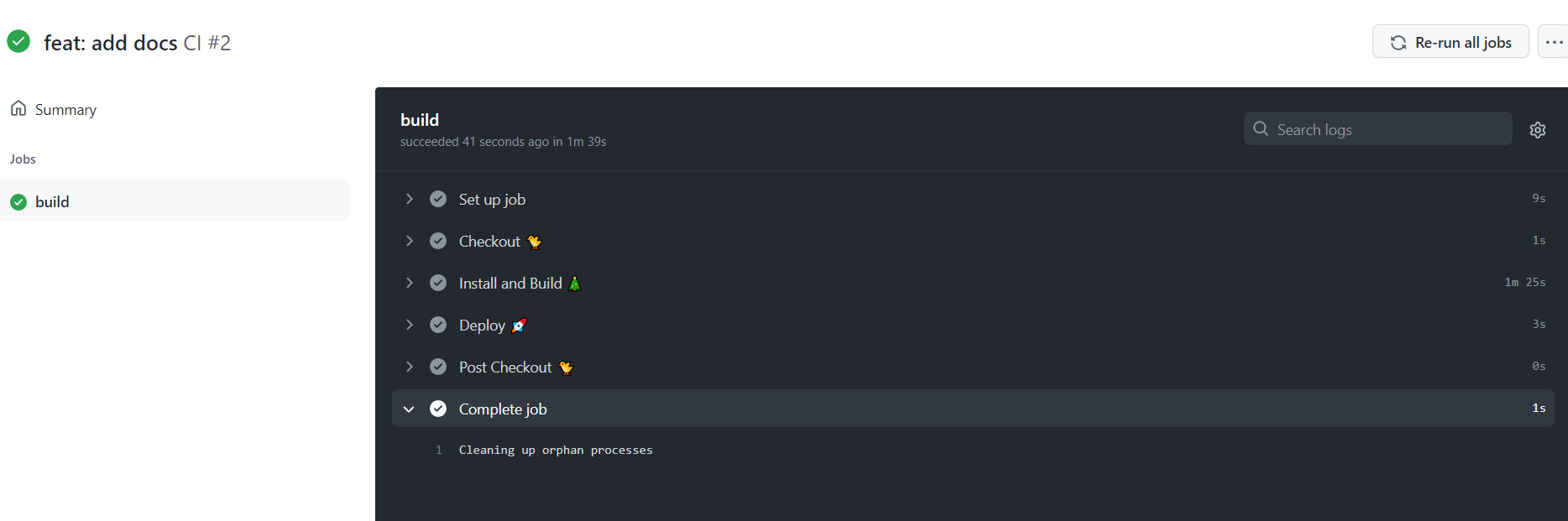
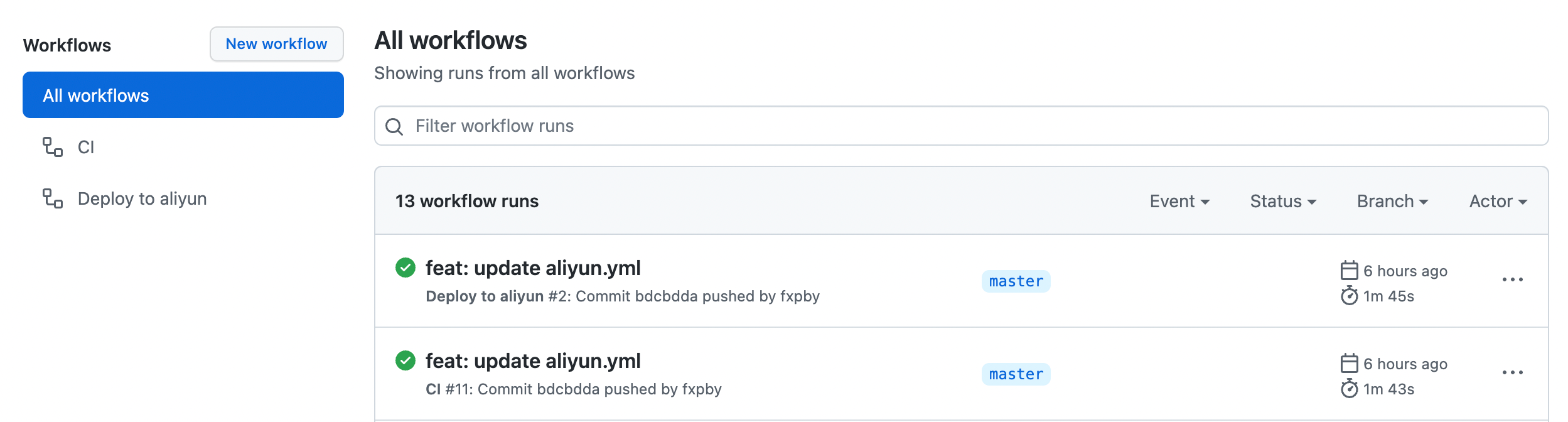
修改代码,push 上去, 可以看到构建日志, 不到两分钟,也是很快的~