
桥接模式 Bridge Pattern
介绍
- 用于把抽象化与实现化解耦
- 使得二者可以独立变化
示例
我们要画图形
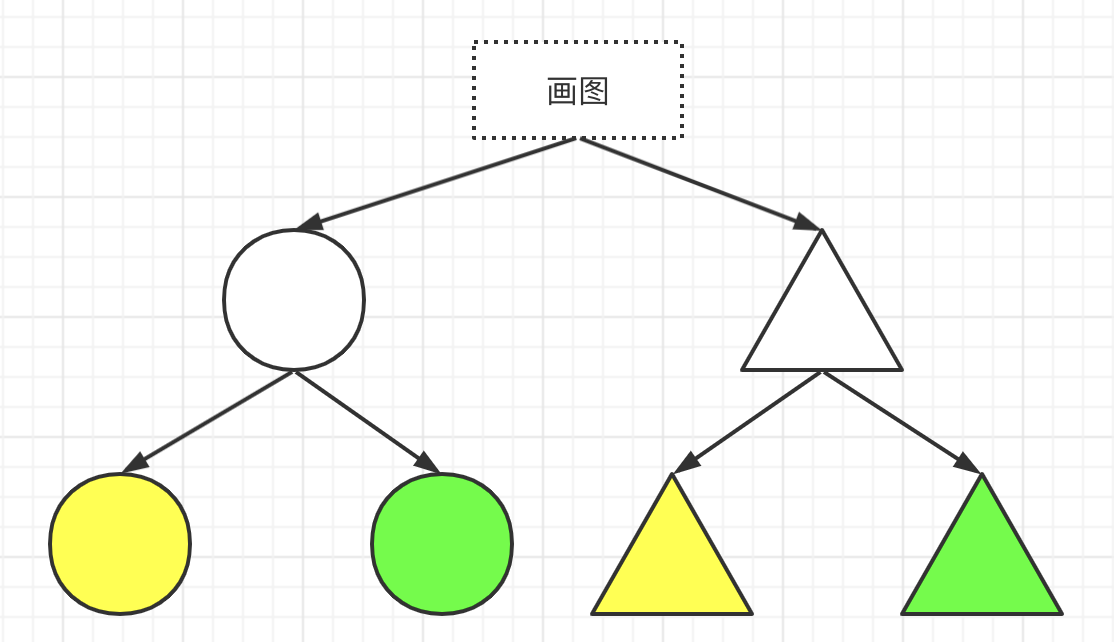
涉及到颜色和形状,可能会这样画👇
class ColorShape {  yellowCircle() {    console.log(`draw yellow circle`)  }  greenCircle() {    console.log(`draw green circle`)  }  yellowTriangle() {    console.log(`draw yellow Triangle`)  }  greenTriangle() {    console.log(`draw green Triangle`)  }}
const draw = new ColorShape();draw.yellowCircle()draw.greenCircle()draw.yellowTriangle()draw.greenTriangle()
如果我们想把颜色和图形分离开,可以这样👇🏻
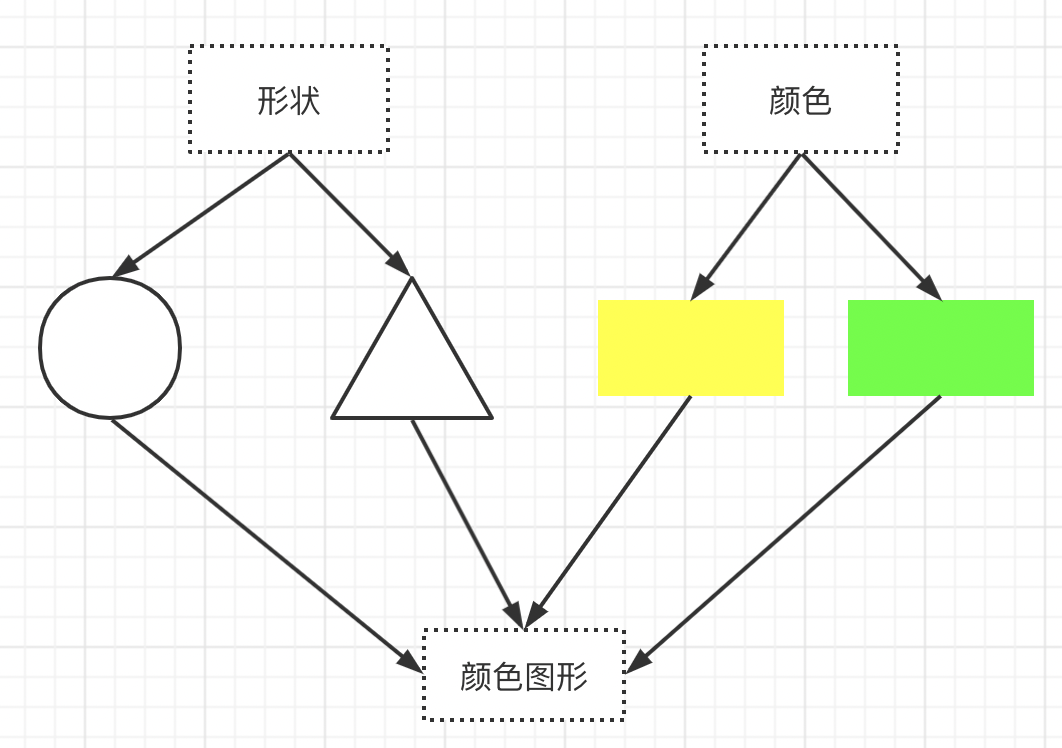
class Color {  constructor(colorName) {    this.colorName = colorName  }}
class Shape {  constructor(shapeName) {    this.shapeName = shapeName  }}
class Draw {  constructor(color, shape) {    this.color = color    this.shape = shape  }  draw() {    console.log(this.color.colorName, this.shape.shapeName)  }}
const yellow = new Color('yellow')const green = new Color('green')const circle = new Shape('circle')const triangle = new Shape('triangle')const yellowCircle = new Draw(yellow, circle)yellowCircle.draw()const greenTriangle = new Draw(green, triangle)greenTriangle.draw()
如果以后颜色有九九八十一种的话,第一种方式我们就要写…😥老长,并且每次都需要修改 ColorShape 类。利用桥接模式后复杂性就会大大降低,可灵活组合。
class Color {  constructor(colorName) {    this.colorName = colorName  }}
class Shape {  constructor(shapeName) {    this.shapeName = shapeName  }}
class Draw {  constructor(color, shape) {    this.color = new Color(color)    this.shape = new Shape(shape)  }  draw() {    console.log(this.color.colorName, this.shape.shapeName)  }
  getColor() {    console.log(this.color.colorName)  }
  getShape() {    console.log(this.shape.shapeName)  }}
const yellowCircle = new Draw('yellow', 'circle')yellowCircle.draw()const greenTriangle = new Draw('green', 'triangle')greenTriangle.draw()
设计原则验证
- 抽象和实现分离,解耦
- 符合开放封闭原则